
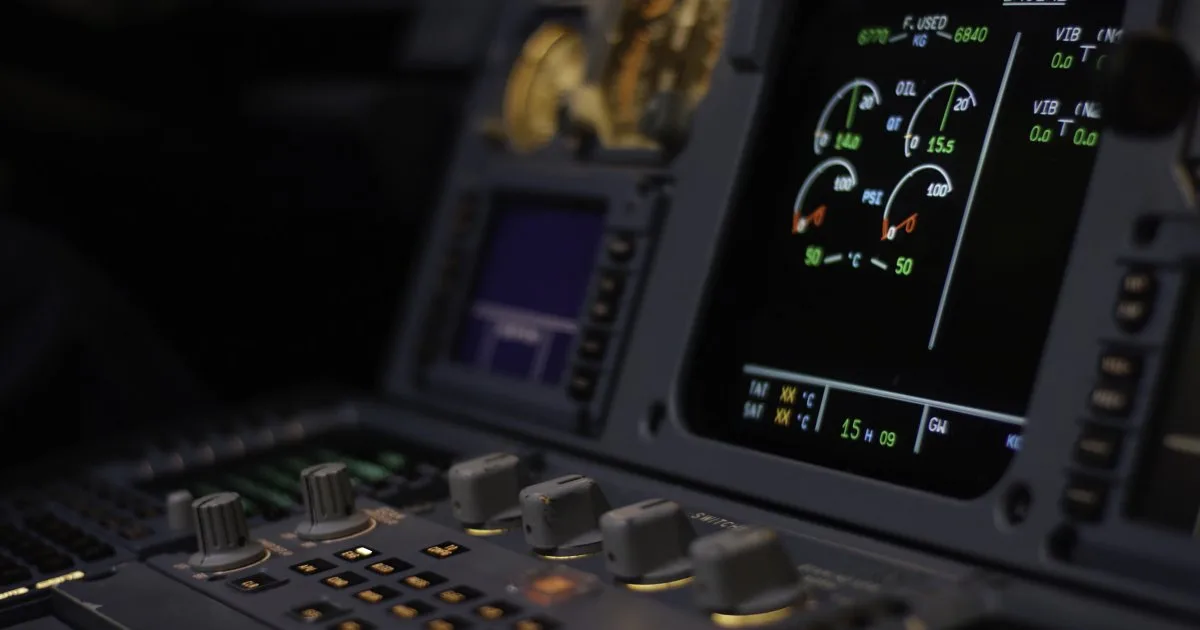
From altitude hold to autoland: What modern autopilots deliver, where their limits are, and why pilots remain indispensable despite automation.
Cockpit Automation — What Autopilot Really Can and Cannot Do
When passengers learn that modern airliners fly on autopilot for most of the flight, many react with a mix of fascination and unease. Does the aircraft really fly itself? Are pilots even necessary? The answer is more nuanced than a simple yes or no. Cockpit automation is a powerful tool that has revolutionized the safety and efficiency of aviation — but it has clear limits, and the interplay between human and machine harbors risks that have only been fully understood in recent decades.
The Basics: Flight Director, Autopilot, and Autothrust
Before discussing automation, three systems that are frequently confused must be distinguished:
The Flight Director (FD) is a display instrument, not a control system. It calculates the optimal flight path and shows the pilot on the Primary Flight Display (PFD), via command bars, where to steer. The pilot follows the Flight Director bars manually — the aircraft is still hand-flown, but with computer-calculated guidance. The Flight Director is essentially a navigation assistant that tells the pilot what to do but does not do it itself.
The Autopilot (AP) is the actual automatic flight control system. It moves the control surfaces — ailerons, elevator, rudder — to maintain the aircraft on the desired heading, at the desired altitude, and at the desired rate of climb or descent. The autopilot follows the same commands that the Flight Director displays. Technically, the autopilot flies the Flight Director — it is an automatic hand that does what the pilot would do manually.
The Autothrust system (on Airbus) or Autothrottle (on Boeing) automatically regulates engine power to maintain the desired speed. It operates independently of the autopilot and can be active even during manual flight. A key difference: on Boeing, the throttle levers physically move when the autothrottle adjusts thrust. On Airbus, the thrust levers remain in position (typically in the CL detent) while the system electronically controls thrust — a design choice that remains controversial among pilots.
Autopilot Modes
The autopilot is not an on-off system but offers a range of modes that control different aspects of the flight. The most important are:
Lateral Modes
- Heading (HDG): The aircraft flies a magnetic heading set by the pilot. The simplest lateral mode — the pilot turns the heading knob, and the aircraft follows.
- LNAV (Lateral Navigation): The aircraft automatically follows the route programmed into the FMS — including all turns, airways, and waypoints. This is the standard mode in cruise.
- LOC (Localizer): The aircraft captures the localizer beam of an ILS approach and tracks it to the runway. This mode is used on final approach.
- Track (TRK): Similar to Heading, but the aircraft flies a ground track — wind effects are automatically compensated.
Vertical Modes
- Altitude Hold (ALT): The aircraft maintains the current altitude. The most basic vertical mode.
- Vertical Speed (V/S): The aircraft climbs or descends at a rate set by the pilot (e.g., +1,500 ft/min or -800 ft/min).
- Flight Level Change (FLCH) / Open Climb/Descent: The aircraft climbs or descends at maximum or pilot-limited thrust to a preselected target altitude.
- VNAV (Vertical Navigation): The aircraft follows a vertical profile calculated by the FMS — with optimized climb and descent rates, step climbs, and cost-optimized speed. The most complex and efficient vertical mode.
- Glideslope (G/S): The aircraft follows the glide path of an ILS approach — typically 3 degrees — down to the decision height.
Combined Approach Modes
- Approach (APP): A combination of Localizer and Glideslope — the aircraft captures both ILS beams and follows them to the runway.
- Autoland: The highest level of automation — the aircraft performs the landing fully automatically, including flare, touchdown, and rollout. Used for CAT II and CAT III approaches (very low visibility).
The FMS: The Brain Behind the Automation
The Flight Management System (FMS) is the central computer that feeds data to most autopilot functions. It calculates the optimal route (LNAV), the vertical profile (VNAV), fuel consumption, estimated time of arrival, and performance data for takeoff and landing. The FMS is essentially the brain of the automation — the autopilot is merely the executing hand.
Programming the FMS is one of the pilots' most critical preflight tasks and demands the highest attention to detail. Errors in FMS programming — wrong waypoints, wrong speeds, wrong weight data — can have severe consequences. Several accidents and incidents have been attributed to erroneous FMS entries.
Modern FMS systems such as the Honeywell Pegasus or Collins Pro Line Fusion contain extensive databases with worldwide navigation, approach, and airport data that are updated every 28 days (AIRAC cycle). They can also calculate Required Navigation Performance (RNP) approaches, in which the aircraft follows a GPS-based, curved approach path — technology that enables approaches to airports that would be too complex for conventional procedures.
Levels of Automation
Cockpit automation can be categorized into levels, from minimal to maximum support:
| Level | Description | What the Pilot Does | What the Automation Does |
|---|---|---|---|
| 1 — Manual | No AP, no FD | Everything: flying, navigating, managing thrust | Nothing |
| 2 — Flight Director | FD active, no AP | Flies manually following FD guidance | Calculates optimal flight path |
| 3 — AP + Selected | AP with HDG/ALT/V/S | Selects parameters (heading, altitude, rate) | Flies according to selected parameters |
| 4 — AP + Managed | AP with LNAV/VNAV | Monitors, intervenes when necessary | Follows FMS route and profile automatically |
| 5 — Autoland | AP + Autothrust through touchdown | Monitors, ready to intervene | Lands the aircraft fully automatically |
In practice, pilots constantly shift between these levels — depending on the phase of flight, workload, and ATC requirements. An experienced pilot selects the appropriate level of automation for the situation and stands ready to revert to a lower level at any time.
Automation Surprises: When the Computer Does Something Unexpected
The greatest risk of cockpit automation is the phenomenon of Automation Surprises — situations in which the automated system does something the pilot did not expect or does not understand. The cause is almost always Mode Confusion: the pilot believes the autopilot is in a particular mode but it is not, or the pilot does not understand how the active mode will behave in the given situation.
Mode confusion arises from the complexity of modern autopilot systems. An autopilot with 20 different modes and hundreds of possible mode combinations is a powerful tool — but also a system that can be misunderstood. The Flight Mode Annunciator (FMA) — the display at the top of the PFD showing the current autopilot mode — is the single most important piece of information in the cockpit, yet under stress or high workload, it is sometimes overlooked.
Air France 447: The Tragedy of Automation
The crash of Air France 447 on June 1, 2009 is the most compelling example of the dangers of automation — and its sudden absence. The Airbus A330 was en route from Rio de Janeiro to Paris when, while flying through a tropical storm system, the pitot tubes (airspeed sensors) iced over. The computer could no longer reliably measure airspeed and reverted from Normal Law to Alternate Law — the protective envelope protection was now deactivated.
What followed was a chain of errors compounded by multiple factors:
- Startle Effect: The sudden autopilot disconnect and unexpected warnings startled a crew that had been in a highly automated cruise for hours.
- Degraded automation: In Alternate Law, the aircraft behaved differently than expected — the crew had little real-world experience with this mode.
- Loss of basic flying skills: The First Officer who took control pulled the sidestick back (nose up) — an intuitive but, in this situation, fatal reaction that drove the aircraft into an aerodynamic stall.
- Non-coupled sidesticks: The captain, who returned to the cockpit later, could not see that the First Officer was continuously pulling back on the sidestick.
- Loss of situational awareness: The crew did not recognize until the end that the aircraft was in a stall, despite the stall warning sounding repeatedly.
AF447 claimed all 228 lives on board and became a turning point in the discussion about the relationship between automation and pilot competence. The investigation led to tightened requirements for stall recovery training, Upset Prevention and Recovery Training (UPRT), and the regular practice of manual flying skills.
Monitoring vs. Flying: The Pilot's New Role
In modern, highly automated cockpits, the pilot's role has fundamentally changed. Instead of actively flying, the pilot spends most of the flight monitoring the automated systems. This shift creates a paradoxical problem: the more reliable the automation becomes, the harder it is to stay vigilant.
Psychological studies show that the human capacity for sustained attention (vigilance) declines significantly after approximately 20 minutes. A pilot who spends hours monitoring a smoothly functioning autopilot will inevitably become less attentive — precisely when the automation fails, they may not be ready to intervene immediately and correctly.
This problem is known as "Automation Complacency" — an excessive reliance on automation that leads to deviations or errors not being detected in time. Countermeasures include regular cross-checks between both pilots, standardized monitoring tasks, and deliberately scheduling phases of manual flying.
The Startle Effect: When Automation Suddenly Fails
The Startle Effect describes the physiological and psychological response to a sudden, unexpected event. In a highly automated cockpit where everything has been running smoothly for hours, a sudden warning message, a loud alarm, or an unexpected autopilot disconnect can trigger a startle response that impairs cognitive processing for up to 30 seconds.
During these critical seconds, pilots tend toward reflexive, often incorrect reactions — the brain reverts to primitive response patterns instead of reasoning analytically. Modern simulator training specifically addresses this with surprise and startle scenarios: unannounced emergencies, unexpected system failures, and situations that deliberately deviate from routine.
Why Manual Flying Skills Remain Essential
In light of increasing automation, aviation authorities and industry bodies worldwide require that pilots regularly train and exercise their manual flying skills (hand flying). EASA has explicitly mandated in its training requirements that pilots must perform manual flying maneuvers during every recurrent training — including approaches without autopilot and takeoffs without Flight Director. The FAA similarly emphasizes manual flying proficiency under its Advisory Circulars and training guidance.
Many airlines go further, encouraging their pilots to hand-fly during certain phases — such as the climb to FL100 or during visual approaches. Some airlines even require each pilot to perform a minimum number of manual landings per proficiency check period.
The goal is not to replace automation but to ensure that the pilot is always capable of safely flying the aircraft by hand — when the automation fails, when it is unsuitable (severe turbulence, system malfunctions), or when it must be deliberately disengaged.
Autoland: The Pinnacle of Automation
The fully automatic landing — Autoland — represents the highest level of automation in commercial aviation. During a CAT IIIb approach, an aircraft can land automatically with a runway visual range (RVR) of only 250 ft (75 meters) — conditions in which a pilot may not visually identify the runway until after touchdown.
Autoland requires sophisticated technical infrastructure: dual or triple autopilot systems (for redundancy), precision CAT III ILS signals, specialized airport equipment, and specially trained crews. Not every airport and not every aircraft is certified for autoland. Certifying an autoland system is a multi-year process involving extensive flight testing.
Interestingly, autoland is not always the smoothest landing. Because the computer is optimized for precision and safety, it often plants the aircraft more firmly than an experienced pilot aiming for a soft touchdown. The automatic landing prioritizes the touchdown zone and aim point — a gentle landing is a secondary objective.
The Future: Single Pilot Operations?
The debate around Single Pilot Operations (SPO) — operating commercial aircraft with only one pilot in the cockpit — is the most controversial topic in modern aviation automation. Proponents argue that today's automation is already so reliable that a second pilot is redundant. One pilot in the cockpit, supported by a ground-based operator, could — in theory — conduct the flight just as safely as a two-person crew.
Opponents — including pilot unions such as ALPA (Air Line Pilots Association), BALPA (British Airline Pilots Association), and ECA (European Cockpit Association) — counter with the following arguments:
- Incapacitation: What happens if the sole pilot becomes incapacitated? Automated landing systems for this scenario are not yet sufficiently proven.
- Workload in emergencies: In emergency situations, the workload for two pilots is already high. A single pilot would be overwhelmed.
- Monitoring: A single pilot cannot monitor themselves. The second pilot is a critical safety net against errors, misjudgments, and fatigue.
- CRM: Crew Resource Management — the structured communication and decision-making in a team — requires at least two people.
- Passenger acceptance: Would passengers board an aircraft flown by only one pilot?
Both EASA and the FAA are currently examining the technical and regulatory prerequisites for SPO. Initial studies and simulator tests are underway, but implementation — if it happens at all — is realistically no earlier than the 2030s. Until then, the two-pilot crew remains the standard of commercial aviation.
Finding the Right Balance
Cockpit automation is neither a panacea nor a threat — it is a tool that must be used correctly. The challenge of modern aviation lies in finding the balance between automation and human expertise: enough automation to reduce workload and increase efficiency, but not so much that the pilot loses their skills, situational awareness, and decision-making ability.
The best pilot is not the one who programs the autopilot most skillfully, nor the one who flies best by hand. It is the pilot who knows when each strategy is appropriate — and who can maintain control in any situation, whether the aircraft is being flown automatically or manually.
"Automation doesn't replace competence — it demands it. The pilot must understand what the computer is doing, why it's doing it, and what it will do next. Otherwise, they're just a passenger with a headset." — Boeing Human Factors Research
