
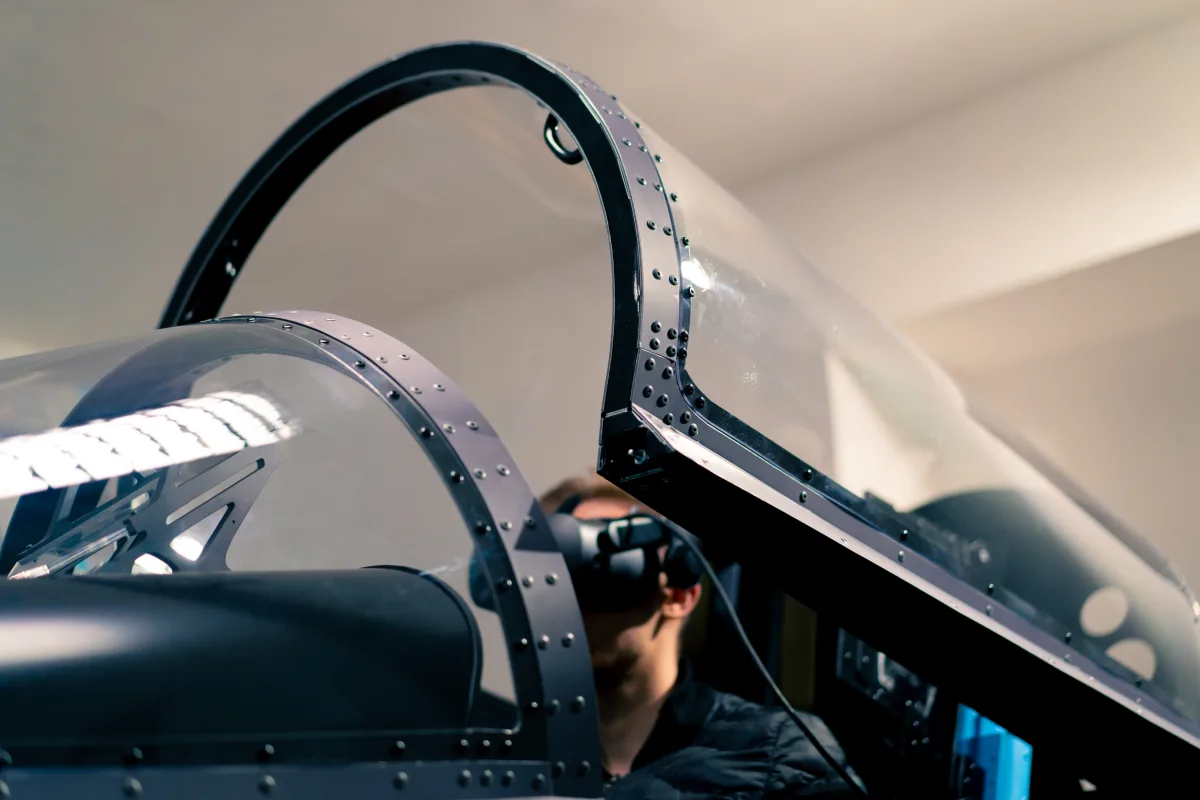
Virtual reality in flight simulation 2026: Meta Quest, Pimax, Varjo — resolution, performance, motion sickness, and why VR is revolutionizing simulation.
VR in Flight Simulation — Current State, Best Hardware, Limitations
Virtual reality has the potential to fundamentally transform flight simulation. Instead of staring at a flat screen, the pilot sits inside the cockpit — surrounded by instruments, with a natural view outside, and three-dimensional depth perception that no monitor in the world can deliver. But between the promise and the reality lie technical hurdles that remain only partially overcome even in 2025/26. This article analyzes the current state of VR flight simulation: which headsets are suitable, how demanding are the performance requirements, where do the real advantages lie — and where are the honest limitations?
Current VR Headsets at a Glance
The VR market has segmented significantly in recent years. For flight simulation, different criteria matter than for Beat Saber or Half-Life: Alyx. Resolution (for readable instruments), wearing comfort (for multi-hour sessions), and sweet spot (the area of sharp imaging) take priority.
| Headset | Resolution (per eye) | FOV | Price (approx.) | Notable Feature |
|---|---|---|---|---|
| Meta Quest 3 | 2064 x 2208 | 110 deg | $500 | Standalone + PC VR via Link/Air Link, mixed reality |
| HP Reverb G2 | 2160 x 2160 | 98 deg | $400 (discontinued) | Excellent resolution at a fair price, WMR |
| Pimax Crystal | 2880 x 2880 | 120 deg | $1,760 | Highest resolution, wide FOV, glass lenses |
| Pimax Crystal Light | 2880 x 2880 | 120 deg | $1,100 | More affordable Crystal variant, PC VR only |
| Varjo Aero | 2880 x 2720 | 115 deg | $2,200 | Professional, aspherical lenses, best sweet spot |
| Apple Vision Pro | ~3660 x 3200 (total) | 100 deg | $3,500 | Mixed reality, eye tracking, limited sim compatibility |
Performance Requirements: The GPU Is the Bottleneck
VR flight simulation is the most demanding use case for a graphics card. The simulator must render two images simultaneously — one for each eye — at a resolution well above a normal display. Add the requirement for consistent frame rates: fluctuations cause motion sickness (nausea), the greatest enemy of VR flight simulation.
| GPU | MSFS VR | X-Plane VR | Assessment |
|---|---|---|---|
| RTX 3070 / RX 6800 | Playable (low settings) | Good (medium settings) | Minimum for VR |
| RTX 4070 Ti / RX 7900 XT | Good (medium settings) | Very good | Recommended |
| RTX 4080 / RTX 4090 | Good to very good (high settings) | Excellent | Ideal, smooth at high resolution |
| RTX 5080 / RTX 5090 | Very good to excellent | Excellent | Future-proof, best experience |
The honest recommendation: for a good VR experience in MSFS, an RTX 4070 Ti or better is recommended. 32 GB RAM is mandatory, 64 GB recommended. VR rendering generates higher memory demands than flat-screen use.
The Real Advantages of VR in Flight Simulation
3D depth perception: In VR, the cockpit has spatial depth. Instruments are on different planes — the glareshield is closer than the overhead panel switches, the yoke is within arm's reach. This depth perception is entirely absent on any flat screen.
Cockpit scale: On a monitor, every cockpit appears the same size. In VR, you sense the actual dimensions: a Cessna 172 feels compact, an A380 cockpit feels enormous. This scale effect cannot be reproduced in 2D.
Natural head tracking: Instead of shifting mouse position or using a separate head tracker (TrackIR, Tobii), in VR you simply move your head. Checking traffic left, scanning instruments, looking out the side window during landing — everything happens naturally and intuitively.
Peripheral awareness: In VR, you perceive movement and changes at the edge of your field of view — just as in a real cockpit. An aircraft approaching from the left, a flashing warning light at the edge of vision, cloud shadows moving across the landscape.
Immersion in poor weather: An instrument approach in fog in VR is an experience incomparable on a flat screen. The white-out through the windscreen, waiting for "runway in sight," the feeling of uncertainty at decision height — in VR, this is emotionally palpable.
The Honest Disadvantages and Limitations
Instrument readability: Despite all progress, pixels are still visible on most headsets when looking at instruments. Small text on FMS displays can be laborious to read. Only headsets like the Pimax Crystal or Varjo Aero make instrument readability truly satisfying.
Motion sickness: VR nausea is real and affects a significant proportion of users. In flight simulation, the problem is less severe than in fast-paced VR games, but turbulence, tight turns near the ground, and low frame rates can trigger it.
Cockpit interaction while blind: The biggest practical problem: you cannot see your physical hardware. Keyboard, mouse, throttle, yoke, switches — everything disappears behind the VR headset. Interaction occurs either through virtual hands or by blindly feeling for physical hardware.
Comfort during long sessions: A two-hour flight in a VR headset can become uncomfortable. Pressure on the forehead, sweaty face cushions, fogged lenses, and isolation from the environment make extended sessions tiring.
Mixed Reality: the Bridge Between Physical and Virtual
Mixed Reality (MR) may be the future of VR flight simulation. Headsets like Meta Quest 3 and Apple Vision Pro feature cameras that can overlay the real environment into the VR image. The idea: the virtual cockpit window shows the simulation, but looking down at the keyboard, throttle, or physical panel shows reality. The approach is promising — in a few generations, MR could be the perfect solution that seamlessly merges physical cockpit hardware with the virtual outside world.
Recommendation by Budget
| Budget | Recommendation | Rationale |
|---|---|---|
| Under $550 | Meta Quest 3 (with PC Link) | Best value, mixed reality, wireless capable |
| $550-1,100 | Pimax Crystal Light | Highest resolution in the price range, large sweet spot |
| $1,100-2,200 | Pimax Crystal | Premium resolution, glass lenses, optional standalone |
| Over $2,200 | Varjo Aero | Best overall image, professional optics, greatest clarity |
"VR in flight simulation is like the first time sitting in a real cockpit: you suddenly understand why the screen was always just a compromise. But it is also honest: the technology is not yet where it needs to be to make both monitor and VR headset simultaneously obsolete." — An experienced VR flight simmer
Conclusion: VR as a Complement, Not a Replacement
The current state of VR flight simulation can be summarized in one formula: The immersion is unbeatable, the practical implementation still involves compromises. Anyone who has experienced VR in a flight simulator does not want to go back to a screen — at least not for VFR flights, sightseeing, and enjoying the virtual world. For complex IFR procedures with extensive FMS programming, long oceanic crossings, and detailed systems work, the flat screen is often still more practical.
The ideal solution for many simmers: both. VR for the immersive flights, flat screen for the systems sessions. Most simulators allow switching on the fly, so you can even change methods during a flight. The future belongs to VR — but the present still requires pragmatism and a willingness to compromise.
