
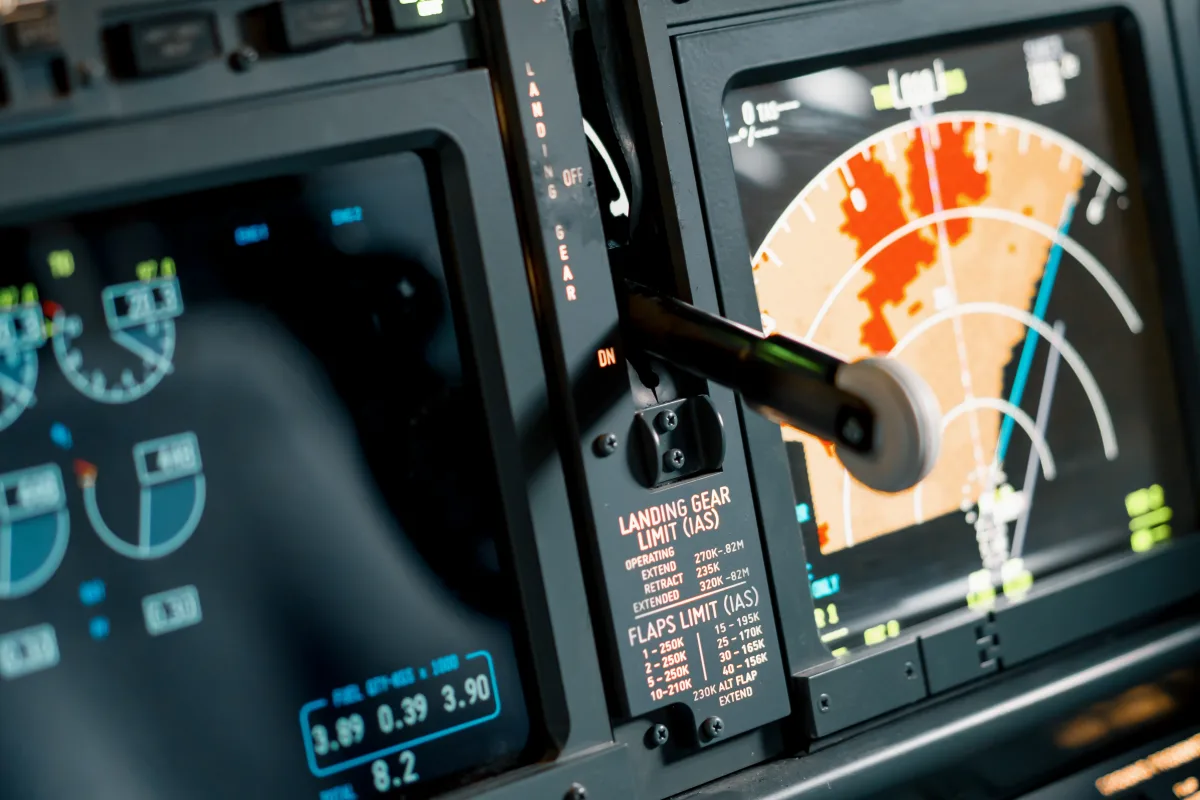
The best flight simulator add-ons: PMDG, Fenix, FlyByWire, Orbx scenery, Active Sky, and why good add-ons cost more than the base sim.
Add-ons That Make the Difference — Aircraft, Scenery, Weather Engines
A flight simulator without add-ons is like an airport without aircraft — the infrastructure is there, but the essentials are missing. The third-party industry surrounding Microsoft Flight Simulator (MSFS), X-Plane, and Prepar3D has evolved over decades into an independent market segment. Hundreds of developers — from solo operators working in spare rooms to companies with dozens of employees — produce aircraft, sceneries, weather systems, and utility tools that transform the simulator from a toy into a serious training instrument. This overview highlights which add-ons make the real difference, what they cost, and where the investment pays off.
Aircraft Add-ons: Systems Depth Is What Matters
The bundled aircraft portfolio of the simulators is a good starting point, but for discerning pilots, it is only the beginning. The difference between a default aircraft and a premium add-on lies in systems depth: How realistically are the avionics systems modeled? Does the FMS (Flight Management System) function like the real aircraft? Does the electrical system respond correctly to faults? Is there a functional EFB (Electronic Flight Bag)?
Boeing World: PMDG — the Benchmark
PMDG (Precision Manuals Development Group) has been the reference for Boeing simulations for over 20 years. The PMDG 737-800 for MSFS (~$83) and the PMDG 777-300ER (~$99) set the industry standard for systems depth. Every switch, every display, every system logic is implemented from the actual Boeing manuals. The FMC (Flight Management Computer) calculates performance data, generates SIDs/STARs, and supports VNAV — exactly as in the real cockpit.
The PMDG 737 for MSFS features:
- Fully modeled hydraulic, electrical, and pneumatic systems
- Realistic FMC with LNAV/VNAV and performance calculations
- Custom sound package with cockpit sounds recorded from real aircraft
- Functional EFB (Electronic Flight Bag) with weight and performance calculations
- Detailed failure simulation — over 100 simulatable system malfunctions
- Livery manager for airlines worldwide
Airbus World: Fenix, FlyByWire, and iniBuilds
Fenix Simulations A320 (~$60 for MSFS) has established itself as the premium A320 for MSFS. Systems depth is impressive: FMGS with custom code, complete ECAM logic, functional checklists, and an EFB supporting OFP import from SimBrief. Fenix is developed by a team with airline experience, reflected in the authenticity of the system logic.
FlyByWire A32NX — and this is what makes it special — is free. This open-source project transforms the bundled MSFS A320neo into a serious simulation. Custom FBW system, reworked FMGS, functional TCAS, realistic autopilot behavior. FlyByWire is maintained by a community of hundreds of developers, including professional pilots and avionics engineers.
iniBuilds A350-900 (included with MSFS 2024) provides a solid baseline simulation of the Airbus flagship. Systems depth continues to evolve through updates. iniBuilds also delivers the A310 and A380 for MSFS.
Additional Premium Aircraft Worth the Investment
| Add-on | Platform | Price (approx.) | Notable Feature |
|---|---|---|---|
| Leonardo MD-82 (Maddog) | MSFS / P3D | $88 | Legendary systems depth, analog instruments |
| PMDG 737 MAX | MSFS | $83 | Latest Boeing variant, EFB |
| Toliss A321 | X-Plane | $77 | Best A320 family for X-Plane |
| Zibo 737-800 | X-Plane | Free | Community project, extremely detailed |
| Rotate MD-11 | X-Plane | $88 | Only high-quality MD-11 simulation |
| Milviz Cessna 310 | MSFS | $50 | Detailed GA simulation |
| Just Flight BAe 146 | MSFS | $55 | Rare type, lovingly crafted |
Scenery: Airports and Landscapes
An aircraft is only as good as the world it flies in. While MSFS already delivers an impressive base world, airport sceneries offer significant improvement potential.
Orbx (Australia) is the largest scenery developer, offering regions, airports, and mesh enhancements for all three platforms. Orbx products are known for consistent quality and a broad portfolio — from major airports to small grass strips.
FlyTampa is known for detailed major airports: Dubai (OMDB), Tampa (KTPA), Copenhagen (EKCH), and St. Maarten (TNCM) are community favorites. FlyTampa sceneries typically cost $22-33 and feature custom ground textures, animated jetways, and detailed terminal buildings.
FSDT (Flight Sim Development Team) delivers sceneries with a focus on ground services: GSX (Ground Services X) simulates pushback, boarding, catering, and de-icing with animations and sound effects. The GSX Pro plugin (~$39) is cross-platform and considered essential by many simmers.
Weather Engines: Realism from Above
Active Sky (HiFi Simulation Technologies) has been the standard for real-time weather in flight simulation for over 15 years. Active Sky injects real METAR and TAF data into the simulator, calculating a three-dimensional weather model with accurate wind layers, turbulence, icing, and precipitation. Price: ~$55.
REX Weather Force offers an alternative with beautiful visual rendering. REX is known for its texture packs that visually enhance clouds and skies. Price: $33-44.
In MSFS 2024, the integrated real-time weather has reached a level that suffices for many users. Meteoblue data delivers volumetric clouds, realistic wind layers, and dynamic weather development. Third-party weather is more of a refinement than a necessity here.
Essential Tools: Navigraph, SimBrief, and More
Navigraph is the gold standard for navigation data and charts in simulation. The annual subscription (~$110) includes updated AIRAC-cycle navigation databases and Jeppesen charts for virtually every airport worldwide.
SimBrief (free, owned by Navigraph) is the community's standard flight planner, calculating realistic Operational Flight Plans (OFPs) with fuel calculations, wind routing, ETOPS considerations, and alternate planning.
LittleNavMap (free, donation-based) is a powerful planning and chart tool serving as the Swiss Army knife of flight planning for many simmers.
Realistic Total Cost Estimate
| Category | Entry Level | Enthusiast | Premium |
|---|---|---|---|
| Simulator | $65-77 | $77-132 | $132 |
| Aircraft (1-3 add-ons) | $0 (freeware) | $165-275 | $330-550 |
| Sceneries (5-10 airports) | $0 (freeware) | $110-220 | $220-440 |
| Weather/textures | $0 | $55-88 | $88-132 |
| Navigraph (per year) | $0 | $110 | $110 |
| Total (1st year) | $65-77 | $517-825 | $880-1,364 |
In subsequent years, approximately $110 for Navigraph and occasional purchases of new aircraft or sceneries are added. An active simmer typically invests $1,650 to $3,300 in add-ons over five years — excluding hardware. That may sound like a lot, but it puts things in perspective considering the hundreds of hours of entertainment: a single real-world flight costs more.
"Don't buy everything at once. Learn one aircraft properly before purchasing the next. One well-mastered add-on brings more joy than five you only know superficially." — Community wisdom
The add-on landscape of flight simulation is richer and higher quality than ever before. Whether a free open-source project or a premium airliner for $99 — there is a product for every expectation and every budget. The art lies in investing strategically and not succumbing to add-on collection fever. Quality over quantity leads to a better simulation experience.
